Wallpaper categories
iOS 26
iOS 18
iPhone 15 Pro
MacBook Pro
Anime
Dark
Gradient
Car
Apple
4K
Dynamic Island
BMW
Christmas
iPhone
Abstract
iPhone 16
MacBook Air
iPhone 15
Nature
Cars
Apple Logo
Space
8K
iPhone 17
Art
iOS
Pro
iPad
Samsung
Mountain
American Eagle U.S.A. USA United States Of America Bald Eagle Best Wallpapers For Apple iPhone 16 HD Wallpapers for iPhone
iPhone Wallpaper Ohio State Football Views Ohio State Stadium Ohio State United States Of America USA HD Wallpapers for iPhone
American Cash Money Dollars Currency USA Black Sparkles HD Wallpapers for iPhone
U.S. Army Military USA Flag HD Wallpapers for iPhone
Long Exposure Of Traffic Dark Mode New York City NYC USA Best Wallpapers For Apple iPhone HD Wallpapers for iPhone
United States Army Military USA Flag Patriot Patriotic HD Wallpapers for iPhone
USA Military Vintage Photo Patriot Patriotic HD Wallpapers for iPhone
Piles Of Dark American Cash Money Dollars USA HD Wallpapers for iPhone
New York City NYC USA Skyline From Above Cityscape Dark Mode HD Wallpapers for iPhone
New York City NYC USA America United States Skyline Metropolis Empire State HD Wallpapers for iPhone
San Francisco California USA America United States Red Bridge Minimalist Golden Gate Bridge Closeup HD Wallpapers for iPhone
Cliffside Beaches In Cali Best Shots Of California State Landscapes Nature 2K 4K HD United States USA HD Wallpapers for iPhone
iOS 26
iOS 18
iPhone 15 Pro
MacBook Pro
Anime
Dark
Gradient
Car
Apple
4K
Dynamic Island
BMW
Christmas
iPhone
Abstract
iPhone 16
MacBook Air
iPhone 15
Nature
Cars
Apple Logo
Space
8K
iPhone 17
Art
iOS
Pro
iPad
Samsung
Mountain
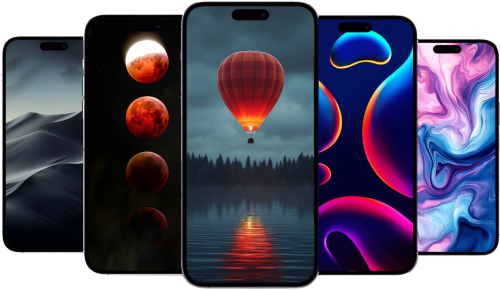
Discover a vast selection of Usa free 4K and HD wallpapers optimized for Apple iPhone, Apple Watch, Mac, and iPad only available on Apple Scoop. With over 403 high-resolution backgrounds available, finding the perfect wallpaper for Apple iPhone, including iPhone 14, iPhone 15 and iPhone 16, iPhone 17, as well as Android devices and more is easy. Browse through popular categories for Apple iPhone like gradients, nature, abstract, dark mode, and minimalistic designs.
Settings > Wallpaper > Choose a New Wallpaper, and select the saved image. On Mac, right-click the saved image and select 'Set as Wallpaper'.
Latest news and rumors about Apple