Wallpaper categories
iOS 26
iOS 18
iPhone 15 Pro
MacBook Pro
Anime
Dark
Gradient
Car
Apple
4K
Dynamic Island
BMW
Christmas
iPhone
Abstract
iPhone 16
MacBook Air
iPhone 15
Nature
Cars
Apple Logo
Space
8K
iPhone 17
Art
iOS
Pro
iPad
Samsung
Mountain
Purple HD Hight Quality HD Wallpapers for iPhone
Iridescent Dragon Fly In A Field Flowers Shimmering Lights Quality Depth Effect For iPhone 2K HD Wallpapers for iPhone
Beautiful Greyish Blackish Space Stars Good Quality HD Wallpapers for iPhone
Irredecent Dragon Fly, Field Flowers Shimmering Lights. Quality Depth. Pink Teal Undertones HD Wallpapers for iPhone
Rising Shining Sun High Quality iPhone Air iPhone 17 Pro Max HD Wallpapers for iPhone
Quality Hot Air Balloon In Dark Abstract In Landscape, Air Balloon Small In HD Wallpapers for iPhone
2012 Toyota Highlander Image Black Hyperrealism, High Quality, Neon City Background, Raining, Cinematic Shot HD Wallpapers for iPhone
Indian Flag High Quality HD Wallpapers for iPhone
High Quality Air Balloon In Dark Abstract Minimalist HD Wallpapers for iPhone
Mixed Colours With Neon For High Quality Rocks HD Wallpapers for iPhone
Chicago Sunset Sun Back Taken Lake Michigan More Building Better Quality HD Wallpapers for iPhone
Pleasant Beach Waves Color And High Quality HD Wallpapers for iPhone
iOS 26
iOS 18
iPhone 15 Pro
MacBook Pro
Anime
Dark
Gradient
Car
Apple
4K
Dynamic Island
BMW
Christmas
iPhone
Abstract
iPhone 16
MacBook Air
iPhone 15
Nature
Cars
Apple Logo
Space
8K
iPhone 17
Art
iOS
Pro
iPad
Samsung
Mountain
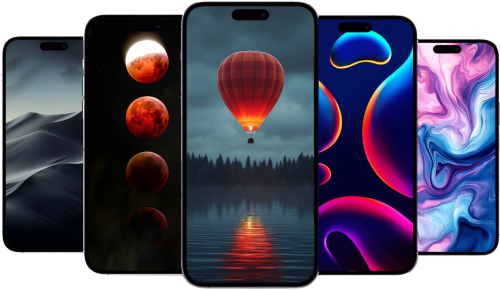
Discover a vast selection of Quality free 4K and HD wallpapers optimized for Apple iPhone, Apple Watch, Mac, and iPad only available on Apple Scoop. With over 23 high-resolution backgrounds available, finding the perfect wallpaper for Apple iPhone, including iPhone 14, iPhone 15 and iPhone 16, iPhone 17, as well as Android devices and more is easy. Browse through popular categories for Apple iPhone like gradients, nature, abstract, dark mode, and minimalistic designs.
Settings > Wallpaper > Choose a New Wallpaper, and select the saved image. On Mac, right-click the saved image and select 'Set as Wallpaper'.
Latest news and rumors about Apple